
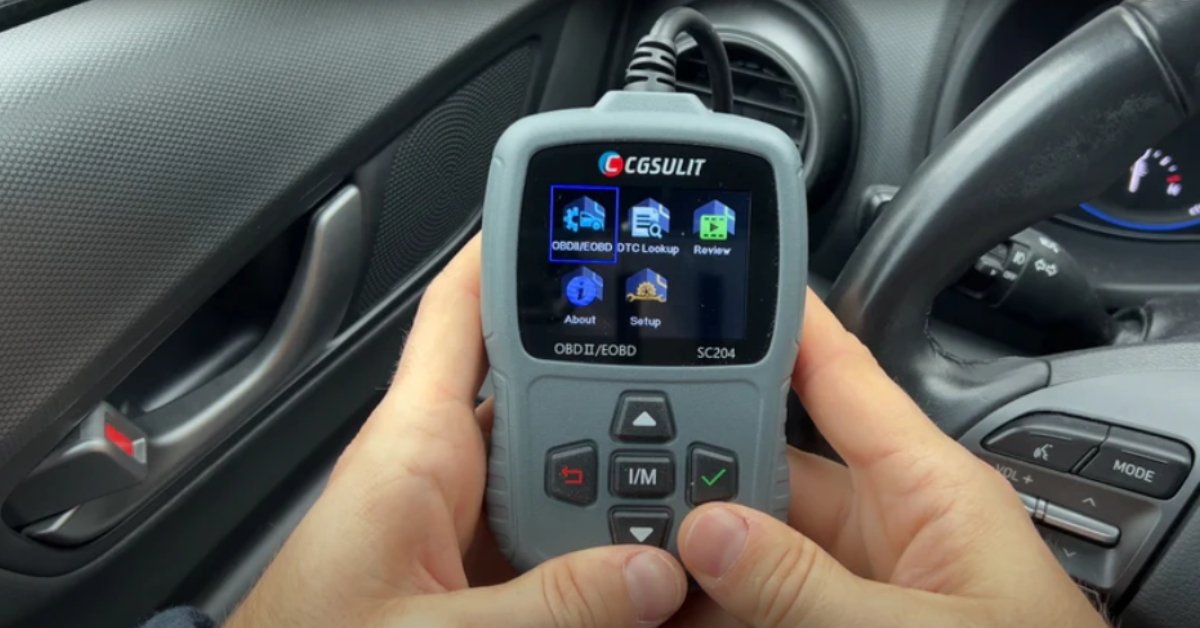
Reset check engine light with OBD2 scanner — it sounds technical, but it’s actually simple! Have you ever been driving down the road, enjoying your day, when suddenly that pesky check engine light pops on? It’s a moment that can make your heart skip a beat. But don’t worry, because today, I’m going to walk you through the easy steps to reset it using an OBD2 scanner. Whether you’re a car enthusiast or just want to avoid a trip to the mechanic, this guide is for you. We’ll cover everything you need to know about using this handy tool, so you can confidently tackle that warning light and keep your car running smoothly.

What is an OBD2 Scanner?
An OBD2 scanner, or On-Board Diagnostics II scanner, is a device that connects to your car’s computer system to read diagnostic trouble codes. These codes are generated when your car’s sensors detect a problem. The scanner helps you identify these issues, allowing you to address them before they become more serious.
Key Features of an OBD2 Scanner
- Code Reading: The primary function of an OBD2 scanner is to read and clear diagnostic trouble codes. This helps you understand what’s causing the check engine light to come on.
- Live Data: Many scanners can display real-time data from your car’s sensors, helping you monitor performance.
- Compatibility: Most OBD2 scanners are compatible with vehicles manufactured after 1996.
- User-Friendly Interface: Many models come with easy-to-read screens and simple navigation.
Pros and Cons of Using an OBD2 Scanner
Pros:
- Saves money on mechanic visits
- Easy to use
- Provides valuable insights into vehicle health
Cons:
- May not diagnose all issues
- Some models can be expensive
Ideal Users
An OBD2 scanner is perfect for car owners who want to take control of their vehicle maintenance. It’s also great for DIY enthusiasts who enjoy working on their cars.

Why Is the Check Engine Light On?
Before resetting the check engine light, it’s crucial to understand why it’s on in the first place. This light can indicate a range of issues, from minor problems like a loose gas cap to more serious issues like engine misfires.
Common Reasons for the Check Engine Light
- Loose Gas Cap: A common and easily fixable issue.
- Oxygen Sensor Failure: Can lead to decreased fuel efficiency.
- Catalytic Converter Issues: A more severe problem that needs prompt attention.
- Mass Airflow Sensor Problems: Affects engine performance.
Misconceptions About the Check Engine Light
Many people think that the check engine light always signals a major problem. However, it can also indicate minor issues that are easy to fix. Always use an OBD2 scanner to get a clear understanding of the problem.

How to Reset the Check Engine Light with an OBD2 Scanner
Now, let’s get into the step-by-step process of resetting your check engine light using an OBD2 scanner. Follow these instructions carefully to ensure success.
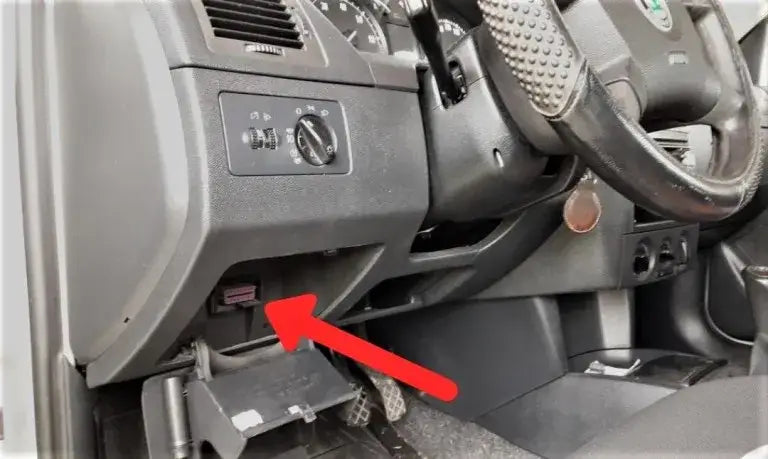
Step 1: Locate the OBD2 Port
The OBD2 port is usually located under the dashboard on the driver’s side. It may be covered by a small flap or panel.
Step 2: Connect the OBD2 Scanner
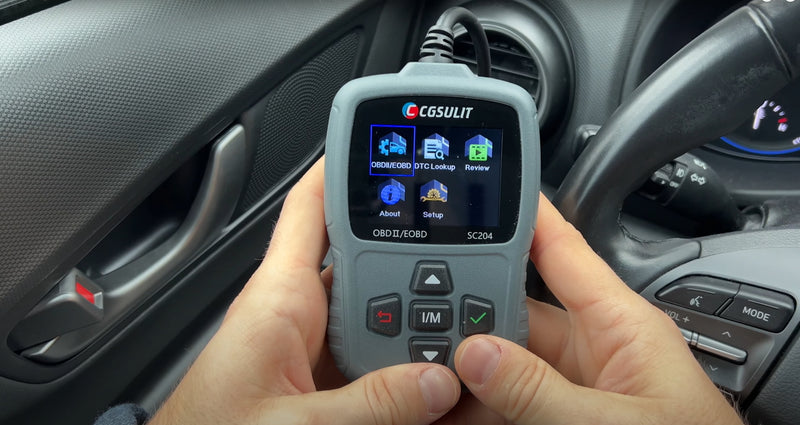
Plug the scanner into the OBD2 port. Ensure a secure connection before proceeding.
Step 3: Turn on the Ignition
Turn the ignition to the “On” position, but do not start the engine. This powers up the vehicle’s computer system.
Step 4: Access Diagnostic Codes
Follow the scanner’s instructions to read the diagnostic trouble codes. This will give you an idea of what issues need attention.
Step 5: Clear the Codes
Once you’ve addressed the issues, use the scanner to clear the codes. This will reset the check engine light.
Troubleshooting Common Issues
Even with an OBD2 scanner, you might encounter some challenges. Here are a few common problems and how to solve them.
Scanner Won’t Connect
- Solution: Check the OBD2 port for damage or debris. Ensure the scanner is compatible with your vehicle.
Codes Won’t Clear
- Solution: Make sure all issues have been resolved. Some codes require professional intervention.
Check Engine Light Returns
- Solution: Re-scan the vehicle to identify any new codes. Address persistent issues promptly.

Tips for Using an OBD2 Scanner Effectively
To make the most of your OBD2 scanner, keep these tips in mind:
- Regular Checks: Use your scanner regularly to monitor vehicle health.
- Stay Updated: Keep your scanner’s software updated for accurate readings.
- Read the Manual: Familiarize yourself with your scanner’s features and functions.
Expert Opinions
According to a 2025 study published in the Journal of Automotive Technology, regular use of an OBD2 scanner can help car owners reduce maintenance costs by up to 40%. This is because early detection of issues prevents costly repairs down the line.
Frequently Asked Questions of How to Reset Check Engine Light with OBD2 Scanner
What is the best OBD2 scanner for beginners?
For beginners, I recommend the Autel AutoLink AL319. It’s user-friendly and affordable, making it perfect for those new to car diagnostics.
Can I use an OBD2 scanner on any car?
OBD2 scanners are compatible with most vehicles manufactured after 1996. However, it’s always a good idea to check compatibility before purchasing.
How often should I use an OBD2 scanner?
Using your scanner once a month or when the check engine light comes on is a good practice. Regular checks can help you catch issues early.
Will resetting the check engine light fix the problem?
Resetting the light doesn’t fix the underlying issue. Always address the root cause before clearing the codes.
Is it safe to drive with the check engine light on?
It depends on the severity of the issue. If the light is flashing, it’s best to stop driving and address the problem immediately.
Conclusion
Resetting your check engine light with an OBD2 scanner is a simple and effective way to maintain your vehicle’s health. By understanding the codes and addressing issues promptly, you can save money and extend the life of your car. Remember, while the scanner is a powerful tool, it’s essential to address the root cause of any problems identified. So, grab your OBD2 scanner, take charge of your vehicle’s maintenance, and drive with confidence. Don’t forget to explore additional resources, subscribe for more tips, or leave a comment with your thoughts and experiences. Happy driving!